Serving the Phoenix Metro Area 24/7
1940 E Camelback Rd. #201 Phoenix, AZ 85016
hhIf you’re staring at a key that suddenly won’t work, or you’ve got that sinking feeling because the only key is gone, you’re not the first. Modern car keys are part metal, part electronics, and the “simple fix” isn’t always simple.
This page is a practical, plain-English guide to help you:
If you need help right now you can call +1 480-779-9144
If you need help right now you can call
+1 480-779-9144
Have your year, make, and model ready. If you’re not sure, that’s okay, we’ll walk you through it.
Below are the most common “car key” situations we hear about.
Pick the one that matches what’s happening, then follow the steps in that section.
Start with:
For more information, see:
Start with:
For more information, see:
What it is: A simple cut metal key with no electronics.
What it does: Opens doors and turns the ignition on older vehicles.
How to tell (no tools):
No plastic “head” with buttons
No remote buttons anywhere
Looks like a house key, just bigger and more rugged
Common issues to look out for:
Even some older-looking keys can hide a chip inside a plastic head. If there’s a thick plastic top, read the transponder section too.
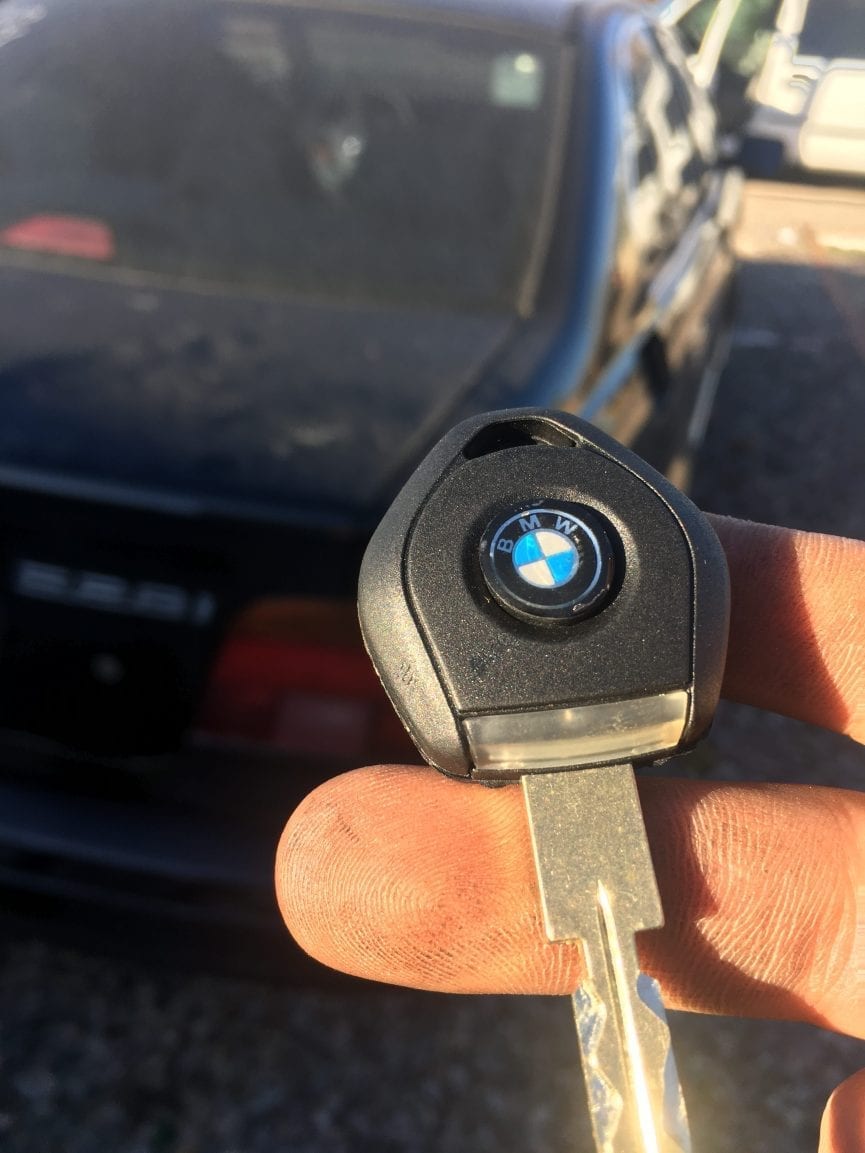
What it is: A metal key with a small chip inside the plastic head.
What it does: The chip “introduces itself” to the car. If the car doesn’t recognize it, the engine often won’t start, even if the key turns.
How to tell (no tools):
A plastic head that’s thicker than a basic key
Often no buttons on the key itself (buttons may still exist on a separate fob)
If you’ve ever heard “chip key” or “immobilizer,” this is usually it
What people notice when it fails:
Key turns, dash lights come on, but the engine doesn’t keep running
A security light may stay on or flash (varies by vehicle)
What it is: A transponder-style key that also has remote lock/unlock buttons built into the plastic head.
What it does: Starts the car (chip) and controls locks/trunk (remote).
How to tell (no tools):
Buttons are on the key head
A thicker plastic top, usually larger than a plain transponder key
Common issues to look out for:
What it is: A separate remote fob, plus a small hidden metal emergency key (insert) for the door.
What it does: The fob handles remote functions. The insert is usually for the door, and sometimes for glovebox or other locks.
How to tell (no tools):
You have a fob with buttons, and a small metal key tucked inside it
There’s usually a release switch or button on the fob to slide the insert out.
Common issues to look out for:
Many people don’t realize they have a physical emergency key until the fob battery dies.
The insert may open the door, but starting the vehicle depends on whether the car uses a push-to-start smart system.
What it is: A proximity fob that lets you start the car with a button when the fob is nearby.
What it does: Allows keyless starting, and often keyless entry.
How to tell (no tools):
Your car starts with a button (not an ignition cylinder)
The fob is usually a thicker “pod” shape, not a traditional key
There may still be a hidden emergency insert for the door.
Common issues to look out for:
What it is: A key with a more complex cut pattern, often with a center groove or track rather than jagged edge cuts.
What it does: Adds security and, on many vehicles, pairs with transponder programming.
How to tell (no tools):
The blade often looks “milled” with tracks or grooves
The cuts may be on the flat surface rather than just the edge
The key blade can look thicker or more precise.
Common issues to look out for:
.
Having this ready helps a lot, whether you call a locksmith or a dealer:
Most “lost only key” situations can be resolved in one of two ways:
Cutting a key that physically fits the locks (door and ignition, if applicable)
Programming (when needed) so the car recognizes the key or fob
Which parts you need depends on the key type:
Standard metal key: often cut only
Transponder / remote head: cut + programming
Smart/proximity: programming is usually part of it, plus emergency insert cutting if you want one
These come up a lot, and they’re easy to fall into when you’re stressed:
Use this as a quick “what should I do next” flow.
Do you have another working key or fob?
Yes: Make a spare sooner rather than later (see Spare-strategy).
No: continue.
Is it push-to-start?
Yes: you’re likely dealing with a smart/proximity setup. Plan for fob programming and consider getting the emergency insert cut too.
No: continue.
Does the key you lost have a thick plastic head or remote buttons?
Yes: very likely transponder or remote head, plan for cut + programming.
No: it may be standard metal, but confirm because some “simple-looking” keys still have a chip.
Do you need help now (no key at all, vehicle can’t move)?
If you want the “help now” path, this is the one place to go: /automotive/ (Johnny Locksmith’s automotive service page).
Try these in order. Stop when the problem is clearly identified.
Try your spare fob/key
If you have one. If the spare works, your main fob is the likely issue.
Check the obvious button behavior:
Do any buttons work at all (lock, unlock, trunk)?
Does the range seem much shorter than normal?
Replace the fob battery if it’s been a while.
Tip: install the new battery carefully, and make sure the contacts are seated correctly.
Look for physical damage:
Cracks, water exposure, buttons stuck down, or a loose battery door.
Check for interference (this is real, and it’s annoying):
Some parking garages, large buildings, or heavy electronics nearby can reduce fob range. Try moving a short distance away.
If the car won’t start, separate “remote” from “immobilizer.”
A remote can fail while the chip still starts the car (and vice versa), depending on key type.
Different vehicles handle backup detection differently, so use this as a set of safe, general things to try.
Get the fob closer to the vehicle’s receiver.
Many vehicles can start if the fob is held very close to the start button or a designated spot, even with a weak fob battery.
Look for hints inside the car:
Some vehicles have a marked location (icon near the steering column, center console, or a slot).
Check the owner’s manual if possible.
Search the manual for “key not detected,” “emergency start,” or “backup start.”
If it’s intermittent, keep the fob separate.
A bag full of electronics or multiple fobs together can sometimes confuse detection. If the message keeps coming back after a fresh fob battery, it’s often time to stop guessing and get it properly diagnosed.
A weak vehicle battery can imitate key issues, especially on push-to-start vehicles.
Signs that point more toward the car battery than the key:
Interior lights are dim, or dash lights flicker
The car clicks but doesn’t crank, or cranks slowly
Multiple warning lights appear at once after you try starting
Remote range seems worse than usual (not always, but it can happen)
After a jump start, everything suddenly works again
If you suspect the car battery, a basic battery test or jump can save a lot of wasted effort.
When the problem feels mechanical, treat it gently. A little patience is cheaper than forcing it.
Common causes: steering wheel tension, the shifter not fully in “Park”, a worn key blade, or a worn ignition cylinder.
Safe things to try:
Make sure the car is fully in Park (or Neutral for some manuals, with the clutch fully engaged).
Relieve steering wheel pressure: gently turn the steering wheel left and right while lightly turning the key.
Try a spare key if you have one. A worn key can be just worn enough to bind.
Avoid forcing it. If it isn’t turning with light pressure, forcing it can break the key or damage the ignition.
If a key breaks and part is stuck in the lock or ignition, the main goal is not to push it deeper.
What helps:
Stop using the remaining key piece as a lever. It usually snaps again.
Keep the lock in the same position if you can (don’t cycle it repeatedly).
If you can see the broken piece and it’s loose, gentle extraction may be possible. If it’s tight, it often needs proper tools to avoid damaging the lock.
These are common “internet fixes” that often backfire:
Don’t use super glue on the broken key. It can glue the key piece to the lock pins, turning a simple extraction into a lock repair.
Don’t jam random tools into the ignition. Scratching or bending internal parts can make the ignition bind permanently.
Don’t spray oily lubricants into the ignition. Oil can attract dirt and make things worse over time. (If you use lubricant, dry lock lubricants are usually the safer category.)
Don’t force a key that’s stuck. Breaking the key is the most common “small problem becomes bigger problem” moment.
If you’re locked out right now, the fastest route is the call button. Tell me car, home, or business, and your location in Phoenix (address or cross-streets). That’s enough to get moving.
A mobile locksmith is often a good fit when:
you’re stuck where the car is parked and need on-site help
you need help diagnosing whether it’s the key, the programming, or a mechanical issue
you want a practical path without adding towing by default
Realistic expectations:
Some vehicles and key systems are straightforward, others are more particular.
You’ll typically need proof of ownership, just like you would at a dealership.
A dealership can make sense when:
you prefer OEM sourcing and your schedule allows it
your vehicle requires a process that’s easier through dealer systems
you’re already handling warranty or recall work
Realistic expectations:
You may need to tow the vehicle if you have no working key.
Appointments and parts availability can affect timing.
Roadside assistance can help when:
you’re locked out and just need entry
your membership includes dispatching a locksmith (some do, some don’t)
Realistic expectations:
The dispatched provider may be a third party with varying equipment and scope.
Roadside often solves the “get me in” problem, not always the “make me a working key” problem.
Online keys can work in the right context.
Pros:
convenient to shop and compare
fine for certain blanks, shells, and replacements when you know exactly what you need
Cons to watch out for:
compatibility is not always obvious
some keys need specific chips or frequency types
some “fits your car” listings are overly broad
programming support is still required for many modern keys
If you go the online route, treat it like buying a part for a repair: match it carefully, and don’t assume it will program just because it looks identical.
Whether you call a locksmith or the dealer, having the basics ready saves a lot of back-and-forth.
Keep this list handy:
Year / make / model (and trim if known)
Push-to-start or turn-key ignition
Your location and whether you’re with the vehicle
What happened (lost, stolen, broken, intermittent, “key not detected,” etc.)
Whether you have any working keys/fobs left
VIN (if available)
Photos that help (only if safe to share): the key/fob, the ignition, any warning message
Proof of ownership: ID + registration or insurance that matches the vehicle
Proof-of-ownership is a normal safeguard. A legitimate provider should ask for it in some form.
This is the advice you’ll thank yourself for later.
Make a spare while you still have a working key. It’s usually simpler than starting from zero.
Store the spare intentionally. Not in the glovebox, and not taped under the car. Pick a consistent, safe place at home.
If you have a smart fob, consider an emergency insert too. It’s a small thing that can save a big headache.
If your fob is aging, replace the battery on a schedule. Not because it’s fun, but because dead fob batteries always happen at the worst time.
If you share a car, make sure the spare strategy fits your household, not just one driver.
If the key has a thicker plastic head (even without buttons), it may be a transponder key. If the car cranks but won’t keep running, that can also be a clue.
It can be either. If it’s a chipped key and the car doesn’t recognize it, the engine may not start even though the key turns. A weak vehicle battery can also cause confusing symptoms.
Often it’s a weak fob battery, but it can also be vehicle battery issues or communication problems. Try the backup detection tips first.
On many push-to-start vehicles, yes. Some vehicles have a backup start method, but it varies, so check your manual.
Sometimes. If your fob has an emergency insert, you may be able to unlock the door manually. Not all vehicles are set up the same way, so it depends.
Not always. Compatibility and chip type matter, and some keys are more particular than they look. Treat online keys as “may work,” not “will work.”
Typically year/make/model, whether it’s push-to-start, location, VIN if available, and proof of ownership.
In many cases, yes, especially if programming is involved. If you’re not with the car, start by confirming access and ownership requirements.
Replace the fob battery and check for physical damage. If the range is inconsistent, try moving away from possible interference.
Because forcing can break the key or damage the ignition cylinder. Light pressure and the steering wheel relief trick are safer first steps.
Stop trying to turn it, avoid glue, and avoid jamming tools inside. The goal is to extract the piece without damaging the ignition.
Yes, if you only have one. The easiest time to plan is before you’re stuck.
Many mobile locksmiths can, but capability varies by vehicle and key system. The fastest way to find out is to share year/make/model and whether it’s push-to-start.
Johnny Locksmith is a mobile locksmith service. Plan on on-site service rather than walk-in.


Copyright © 2026. All rights reserved.